 English
 Türkçe
Interface
Interface
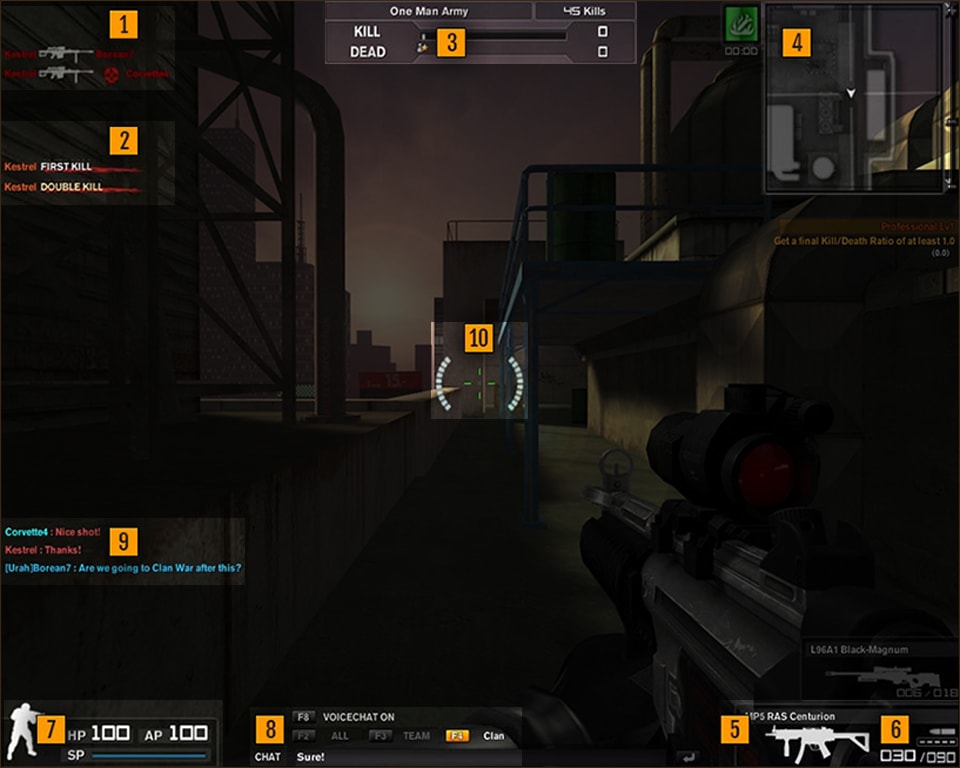
-
1. Kill/Death Feed
Whenever a player is killed, the attacker, the weapon used, and the defeated player are shown here. -
2. Accolade Notification
Kill streaks and notable player achievements are shown here.
-
3. Team Indicator and Scoreboard
-
4. Radar/Map
-
5. Selected Weapon and Other Available Weapons
-
6. Ammunition Count and Fire Mode
-
7. Health (HP) and Armor (AP) Points
These show how close you are to death. The light-blue bar below shows how much stamina remains for sprinting. -
8. Chat Box
-
9. Player Communications
Player messages, radio calls, and player connection or disconnection notices are shown here. -
10. Crosshair
Controls
Mouse Controls
-
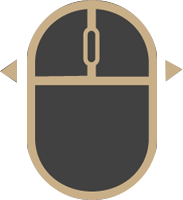
Aim
Mouse Movement -
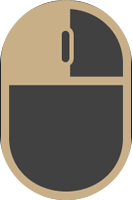
Fire
Left Mouse Button -
Use Sights
Right Mouse Button
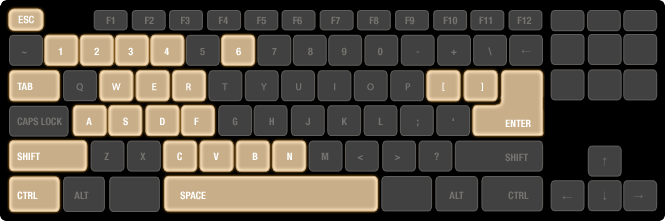
Character Movement
- W -Move Forward
- Space -Jump
- S -Move Backward
- Shift -Sprint
- A -Move Left
- Ctrl -Crouch
- D -Move Right
- C -Toggle Run/Walk
Combat Actions
- E -Action (Open Door / Pick Up Weapon / Defuse Bomb)
- 4 -Select/Switch Support Weapons
- R -Reload Weapon
- 6 -Select Mission Equipment
- 1 -Select/Switch Primary Weapons
- F -Change Fire Mode
- 2 -Select/Switch Secondary Weapons
- M -Map
- 3 -Select/Switch Melee Weapons
Radio Messages
- V -Response
- B -Status
- N -Request
Other
- ] -Decrease Mouse Sensitivity
- Tab -Scoreboard
- [ -Increase Mouse Sensitivity
- Enter -Chat
Combat Arms login form
Log in with your Combat Arms account
Combat Arms registration form
Sign up with your email address
Your account has been created!
Redirecting you to the login screen...